Load File To Bytes
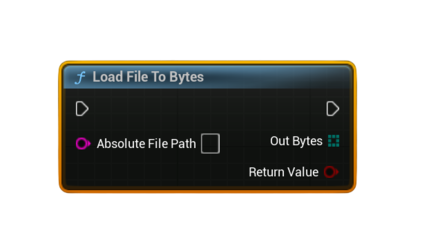
Loads the contents of a file on disk into a byte array. Required when preparing binary data to upload using Upload Steam Leaderboard Score With UGC or when loading saved UGC.
Inputs
Pin |
Type |
Description |
|---|---|---|
Absolute File Path |
String |
Full path to the file on disk. Use project directory helpers to generate this path. |
Outputs
Pin |
Type |
Description |
|---|---|---|
Bytes |
uint8[] |
File contents loaded into a byte array. |
Return Value |
bool |
true if the file was successfully read, false otherwise. |
Usage
- Common workflow for UGC uploads:
Load File To Bytes → Upload Steam Leaderboard Score With UGC - Use for loading replay files, ghost data, JSON configs, binary files, images, or any custom data.
Notes
- Path must be an absolute path.
Suggested pure nodes: - Get Project Directory
- Get Project Saved Directory
- Get Project Content Directory
- If the file does not exist or cannot be read, the node returns
falseand the output byte array is empty. - Often paired with String To Bytes (UTF8) or Bytes To String (UTF8) depending on the file type.